Error Handling
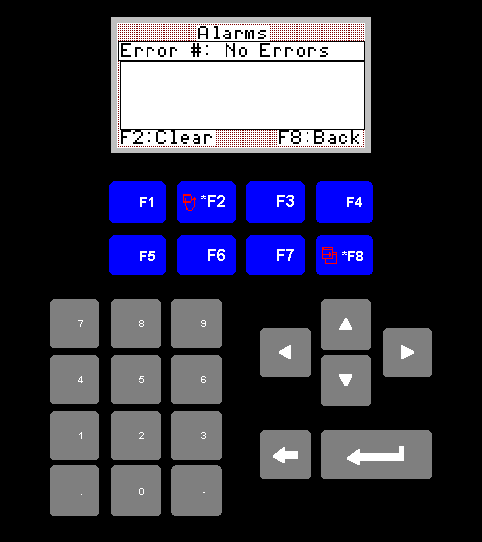
Errors Screen
1. Error #:
This will normally display exactly as shown in the image.
In the event that there is an error number displayed here, please write this number down, and contact your current service provider, before pressing the F2 button to clear it.
Currently the the only errors covered by this screen are run time, and programming errors from the plc, and these cannot be corrected without some reprogramming of the plc.
In the event that there is an error number displayed here, please write this number down, and contact your current service provider, before pressing the F2 button to clear it.
Currently the the only errors covered by this screen are run time, and programming errors from the plc, and these cannot be corrected without some reprogramming of the plc.
2. F2 Clear:
Press this to clear the current error.
As mentioned in the previous statement, it is very important that if any errors are displayed in this screen, please write them down and contact your current service provider before clearing them.
As mentioned in the previous statement, it is very important that if any errors are displayed in this screen, please write them down and contact your current service provider before clearing them.
3. F8 Back
Pressing the F8 key will return you to the main menu.