Tracking Coal Usage
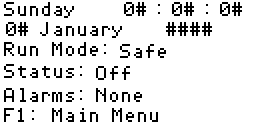
1. Main Display
Press F1 to go to the main menu.
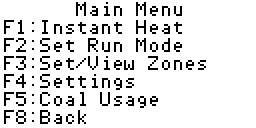
2. Main Menu
Press F5 to go to the coal usage screen.
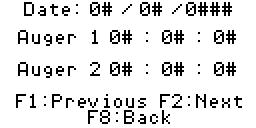
3. Coal Usage
This screen is fairly obvious. The usage for a given date and auger is
displayed in the following format: Hours:Minutes:Seconds.
Pressing F1 or F2 will cycle you throught the previous days stored in the
plc. The plc will store a maximum of fourteen days, inclusive of today.
This means you must record the previous times at least every two weeks or
they will be lost.
That's it. Once again you can press the F8 key twice to return to the
main display.