Kindle Time
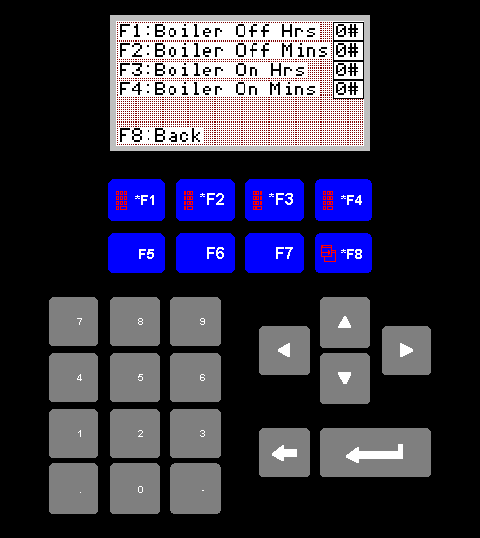
Kindle Time Screen
This screen allows you to set the off delay, and run time for the boilers
when they are in kindle mode.
1. F1 Boiler Off Hrs
F1 will take you to a data entry screen where you can enter the number
of hours you wish the boilers to wait before kindling.
2. F2 Boiler Off Mins
F2 will take you to a data entry screen where you can enter the number
of minutes you wish the boilers to wait before kindling.
3. F3 Boiler On Hrs
F3 will take you to a data entry screen where you can enter the number
of hours you wish the boilers to run for when kindling. I believe this
will always be zero.
4. F4 Boiler On Mins
F4 will take you to a data entry screen where you can enter the number
of minutes you wish the boilers to run for when kindling.
5. F8 Back
F8 will return you to the settings menu.