Set Run Modes
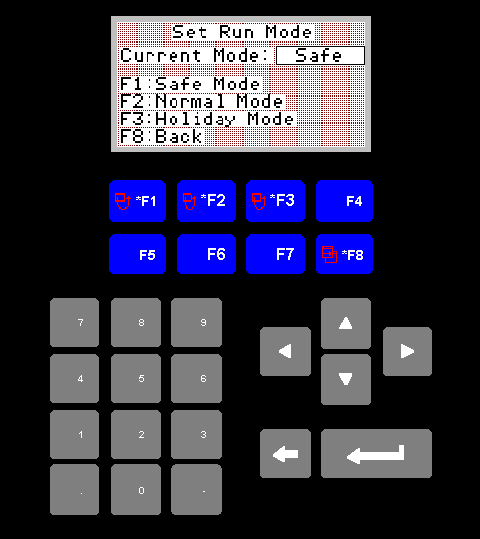
Set Run Mode Screen
1. F1 Safe Mode
Set the system to safe mode
In Safe mode the boilers will not run, but the line temperatures will still be monitored. This allows the system to shut down, but still enables it to go into heat disipate, or run on modes.
In Safe mode the boilers will not run, but the line temperatures will still be monitored. This allows the system to shut down, but still enables it to go into heat disipate, or run on modes.
2. F2 Normal Mode
As the name suggest, this is the mode that will be used virtually all of
the time.
3. F3 Holiday Mode
This mode has been included to allow the operator to shut the system down
but still allow the boilers to run in kindle mode. Once again in this
mode line temperature will still be monitored for safety reasons.
4. F8 Back
Returns you to the main menu.