Set Or View The Days For Each Zone
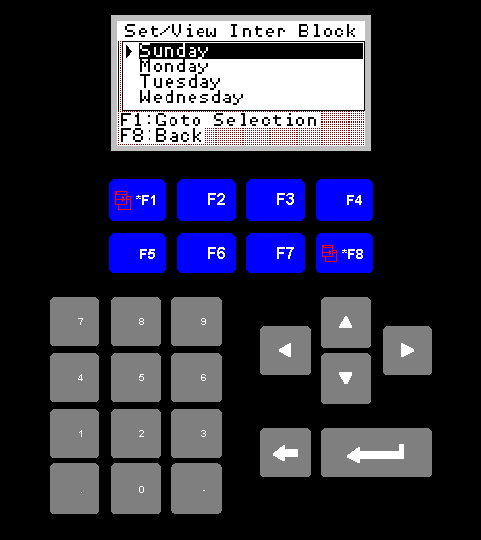
Set/View Days Screen
The purpose of this screen is to allow the operator to select which days
times to set or view for a given zone.
1. Set/View Inter Block Title
The "Set/View Block" title will display the name of the currently
selected zone.
2. Day Selection Box
The box below the title displays the currently selected day.
You may change the currently selected day by pressing the grey up or down arrow keys.
You may change the currently selected day by pressing the grey up or down arrow keys.
3. F1 Goto Selection
Pressing F1 will take you to the next screen which will allow you to
set or view the times for the currently selected zone, on your selected
day.
4. F8 Back
F8 will return you to the zone selection screen.